
101 Practical Ways to Ditch That Textbook — This ebook is packed with tips, tricks and ideas that will help you teach with technology, creativity and innovation — with less reliance on the textbook. It has tons of ideas you can start using in the classroom tomorrow!
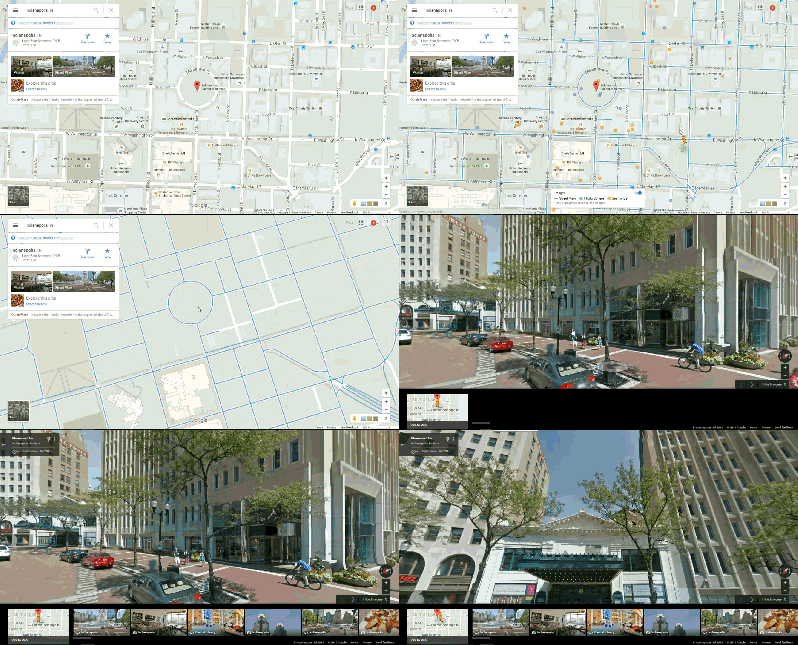 Google Maps Street View –Street View makes it possible to drop your classroom virtually onto almost any street in the world and walk around. It uses panoramic images that let you turn around, zoom in and walk down roads to check out the scenery. Just grab the little yellow “peg man” and drop him where you’d like to go. For practice, try dropping yourself at your doorstep of your school if you’ve never used it before.
Street View Treks – Once you’ve seen your school from the curb on Google Maps Street View, take it to the next level with Street View Treks. These custom-produced exploration experiences are awesome for students. They provide information about the location and videos that pair nicely with the panoramic views. Locations include Nepal, Gombe National Park, the Pyramids of Giza, the Great Barrier Reef (a Street View Trek underwater!) and more.
Custom maps — MyMaps lets students drop pins on their own maps and add all sorts of information to them, giving them data-rich, media-rich custom maps. Check out this post with lots of ways to use MyMaps in the classroom. Or see the example below!
Shared presentations — Create a presentation with one slide per student and give students permission to edit it. Then assign an activity — some quick Internet research, a writing prompt, an image search to find an example, etc. When they’re done, show the presentation on a projector. It’s student work instantly on display.
Practice with the shared presentation below:
 Animation — This is a great hack (i.e. non-traditional use) of Google Slides that could take some time to complete but yield amazing results. Check out this video, where the creators made an impressive animation with 450 slides in a Google Slides presentation just by clicking through the slides quickly.
Google Drawings interactive posters — Google Drawings are great for bringing images, text and shapes together. Those elements combine for a great digital poster. But these digital posters are way better than a regular one made of poster board. Various elements in the poster can be clicked, delivering webpages and other online content to viewers.
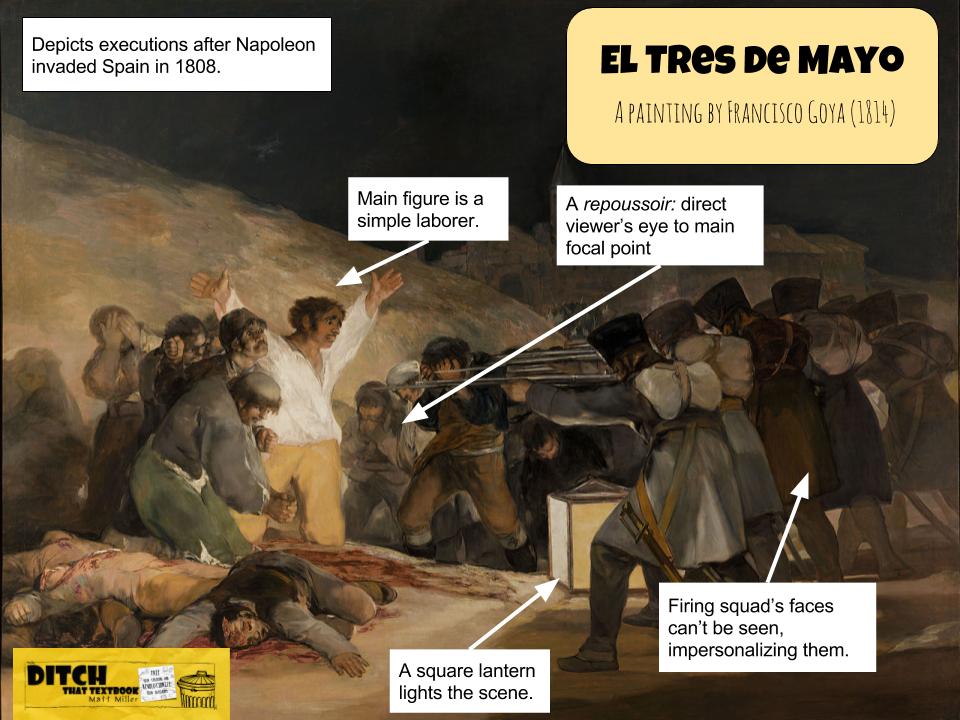 Photo comic strips — Take photos of students using a webcam and add them to a Google Drawing. Add speech bubbles to the photos. Then save those images and add each one to a different slide in a Google Slides presentation. Here’s a Google Site about Comics with Google Tools and Creativity Games for examples and more details.
Annotate images — A picture is, of course, worth a thousand words, but it can also teach important lessons. Let students manipulate that picture, and they can create meaning and own those lessons. Add an image to a Google Drawing and let students add text boxes and arrows, pointing out various parts of the photo that are of interest to the class.
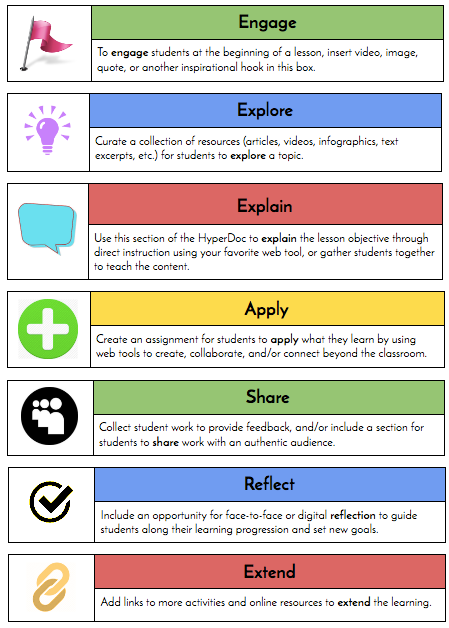 Hyperdocs — Hyperdocs are a hub for student-led learning and creating in a lesson or unit. In a Hyperdoc, students go top to bottom through a self-paced lesson. They gather necessary information, create using what they’ve learned and share with classmates. Teachers set up Hyperdocs by linking from the document they’re created in out to other Google files and websites that students can interact with.
The beauty of Hyperdocs is that there are lots of pre-created templates. Plus, there’s lots of guidance in creating them. The pedagogy behind them is a hybrid of several successful learning models. The creators of Hyperdocs (Lisa Highfill, Sarah Landis and Kelly Hilton) blended those models to give you an plug-and-play approach to engaging digital learning.
Check out the basic framework and learning model of a Hyperdoc in this document.
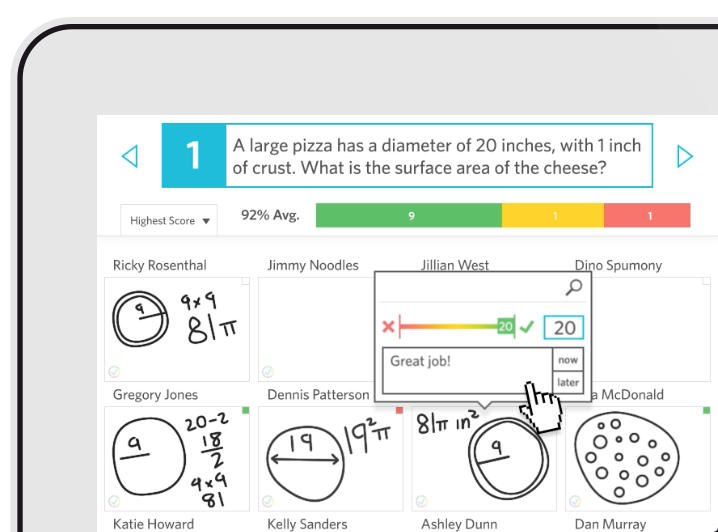 Instant, meaningful feedback with Formative (goformative.com) — Ever get frustrated with student papers that end up in the trash? All that feedback you wrote feels like it went to waste. It might be because students didn’t get the feedback fast enough to apply it.
Formative lets you shorten that feedback loop. Create digital assignments with questions (short answer, multiple choice, draw your answer, etc.), images, videos, and more. Then watch as students work on it in real time and give them feedback they can see immediately.
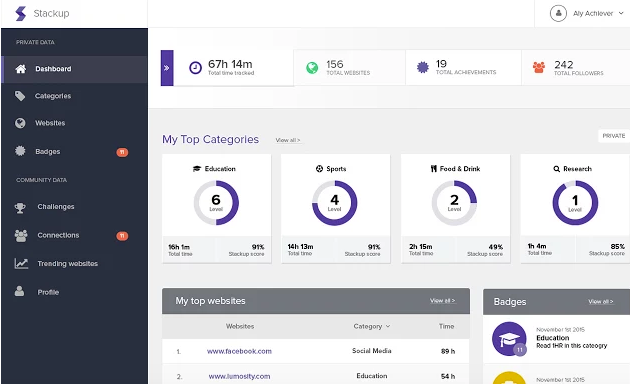 Keep track of student reading with Stackup (stackup.net) — There’s a TON of material to read on the Internet. Students read plenty online. There has to be some way to tie them together academically, right?
Stackup keeps track of what students are reading and how long they’re reading it. It displays statistics and charts for teachers and students, showing what topics they’ve been reading about and reading time. It even suggests new sites for students to check out based on their interests. Students can earn badges and even compete with friends.
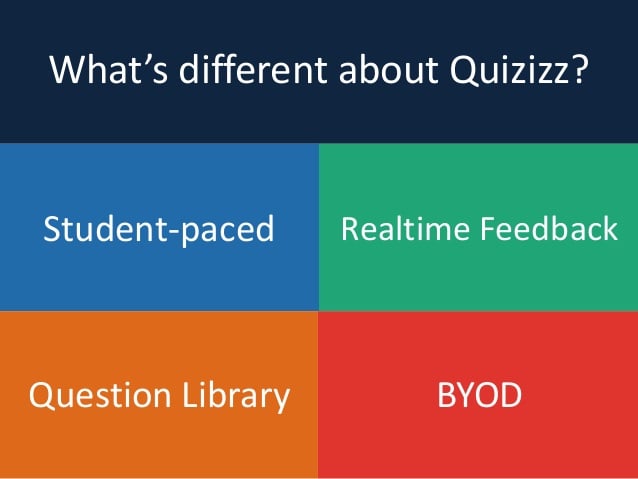 Assess and review with a game show using Quizizz (quizizz.com) and Kahoot! (getkahoot.com) — You probably already know about Kahoot! — the formative assessment tool that turns reviewing into a game show. There are likely some features you don’t know about, though, like the new Jumble Kahoot! game, the blind Kahoot! to introduce new content, and duplicating other Kahoot! games so you can change them.
Quizizz is very similar to Kahoot!, but with a couple twists. Instead of displaying the question and possible answers on the screen, Quizizz puts everything on the student device. This lets the student decide the pace and leads to less frustration over malfunctioning tech. Quizizz also displays fun memes to show whether you got the answer right or wrong.
 If you have questions for Matt or just want to bounce an idea off him, feel free to contact him.
Email: matt@DitchThatTextbook.com
Twitter: twitter.com/jmattmiller
Twitter hashtag: #DitchBook (twitter.com/hashtag/ditchbook)
Facebook: facebook.com/DitchThatTextbook
YouTube: youtube.com/DitchThatTextbook
Matt’s book, Ditch That Textbook (available on Amazon in paperback and for Kindle)
Ditch That Homework, an upcoming book by Matt Miller and Alice Keeler
The Ditch That Textbook Digital Summit, a free online conference in December
The Google Teacher Tribe Podcast, a podcast by Matt Miller and Kasey Bell for using Google tools in the classroom